Cinemarchives: idea, architecture, deploy
8K visitors and 321K requests on day one — using only SQLite, Cloudflare, and a 1-core, 1 GB VPS.
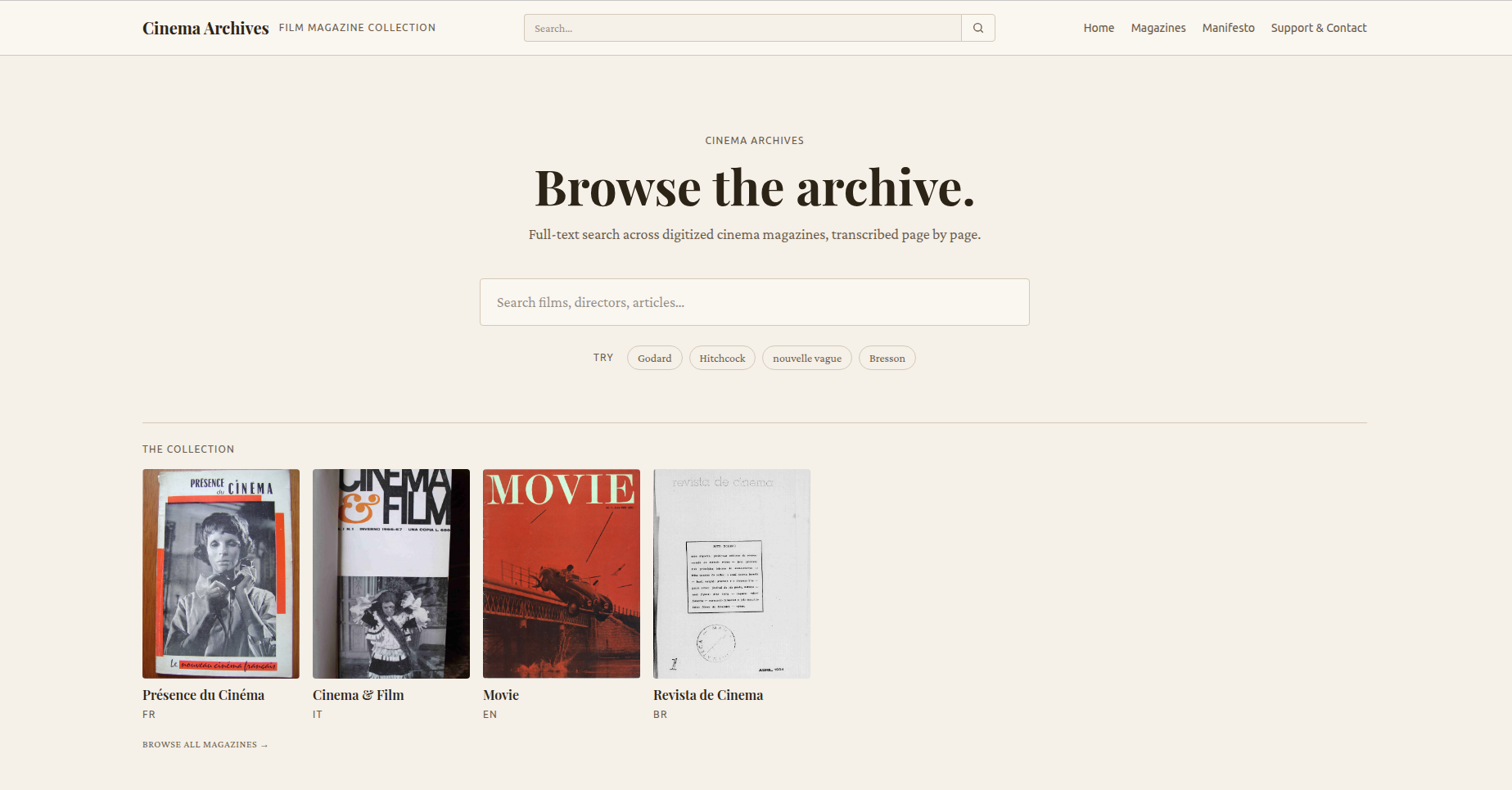
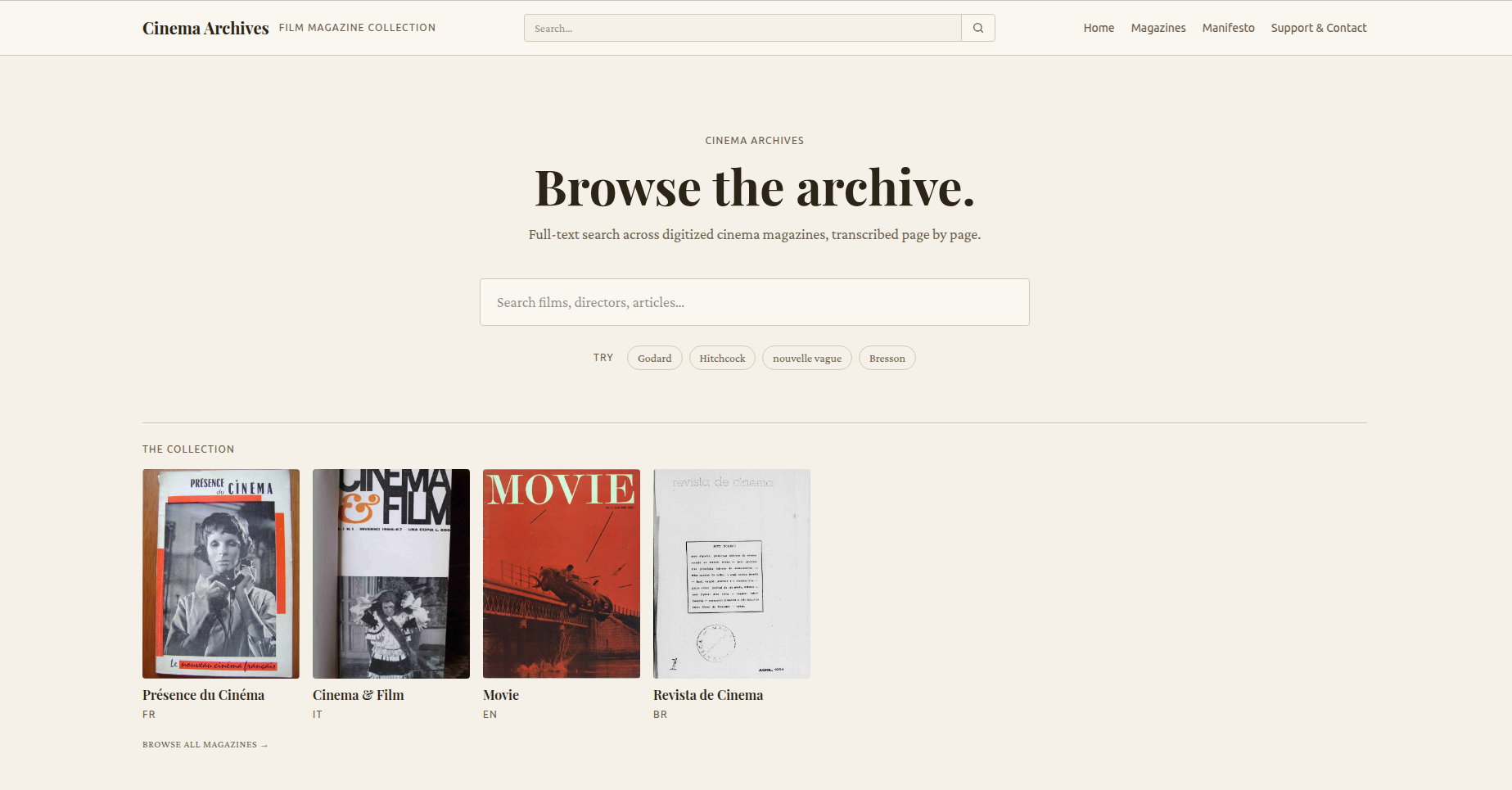
As someone who loves cinema, I’m always looking to read more about it. As you go deeper, it’s inevitable that you run into some historically important magazines, like Cahiers du Cinéma, Présence du Cinéma, Cinema & Film, Film Culture, and so on — after all, the critical tradition of cinema comes largely from these magazines.
The main obstacle to reaching them is that, in the overwhelming majority of cases, they only exist as PDF files, in scanned or photographed versions. Reading is therefore hard; zooming in and out of a PDF is a tedious task, searching within them (a ctrl+f) is out of the question because most have no OCR, and when they do it’s not very good quality.
For a long time I’d had this idea of building a digital archive of these magazines, in a way that makes reading easier and lets you search across them.
Choosing the stack
I chose to build the site with Ruby on Rails, for the simple reason that a friend needed help on a Rails project, and at the same time I wanted to learn something new and step a bit outside my main PHP stack.
Frugality
Since it’s a digital archive, with no intention of making money, one of the main things to consider when building it is cost. Maintenance should be as cheap as possible — ideally zero.
Read-only by design
Being a digital archive that will only be fed by me, I saw no point in building admin pages or user registration. This was an important decision, because it ended up shaping the whole architecture of the project, leading me to split it into two repositories: the site/web one and the transcriptions one.
After reading an article by Fabio Akita and watching a video by DHH about SQLite, I decided that using SQLite in production would be the best option, at least at first (and I should say that, after putting everything live, I don’t plan to change it for a good while).
Going with SQLite cut the cost of having a database; along with that I decided to store the images locally, serving them from disk.
Transcriptions repository
The transcriptions repository was kept separate for two reasons. 1) the transcriptions are permanent: it wouldn’t make sense to build an admin page just to feed my database; 2) it maximizes the use of the transcriptions for things beyond the site — I can, for example: format them as plain text, turn them into an ebook or PDF, open the repository publicly, or upload everything to archive.org.
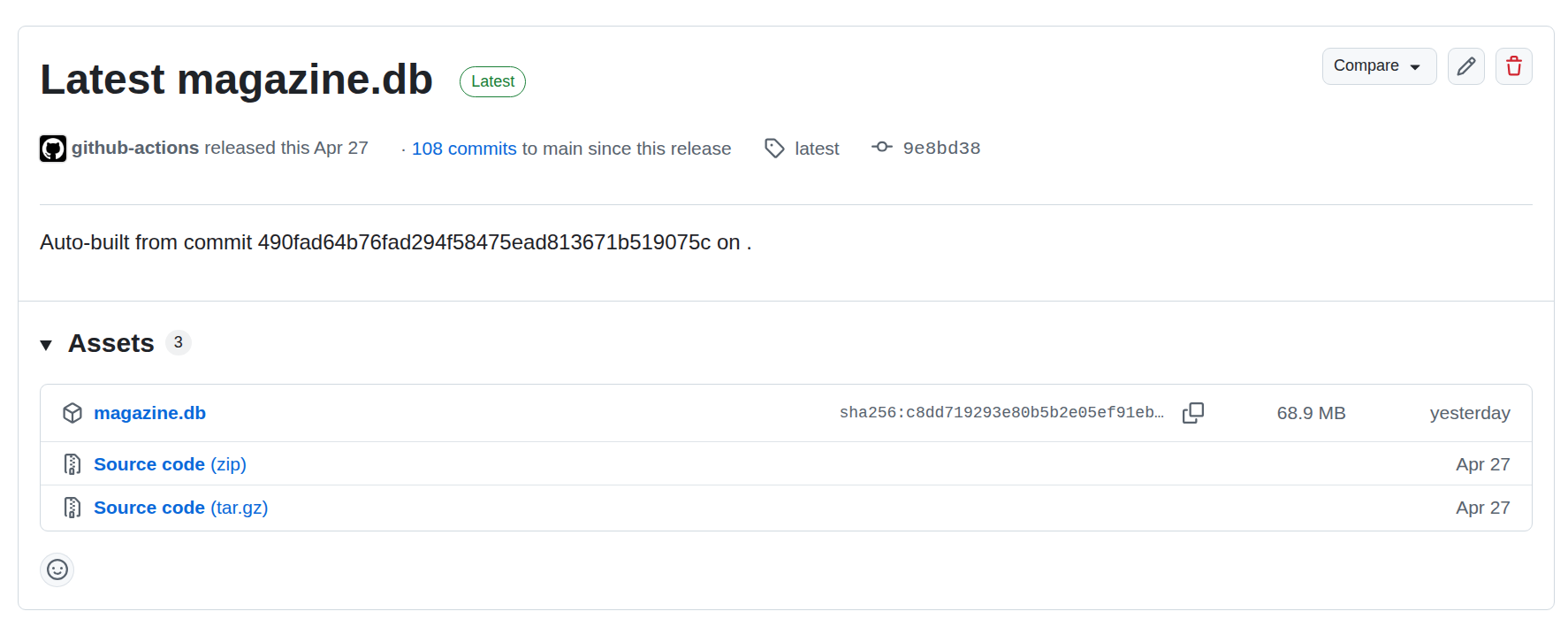
The transcription pipeline went like this: turn the PDF into images → run OCR → save the transcription/OCR as JSON → import the transcriptions, organized, into a SQLite .db file → publish the .db as a release on GitHub.
Transcriptions
Not having a good GPU to run an OCR tool locally, I had to opt for external solutions, and this was the only real cost in building the site.
At first I used Gemini and OpenAI to do the OCR. AI tools are great at identifying text, and combined with their thinking capability they can figure out what would be titles, italics, bold, subject matter, article type, footnotes, etc… However, their cost was much higher than expected, around 1 dollar per 100 pages.
I ended up moving to MistralOCR, a tool dedicated to OCR. I lost some flexibility in extracting data from the text — bold and italics are no longer possible, I can still capture some titles and subtitles (though most aren’t detected) — but I gained on cost: 1 dollar per thousand pages.
The speed at which it processes pages is far greater compared to the AIs. If I send a batch of 100 pages to Mistral it processes them in under a minute, something that would take about 10 minutes if I sent page by page to Gemini/OpenAI, or up to 24h if sent via batch.
Another advantage of the dedicated tool compared to the AIs is that there are no processing failures, hallucinations in the transcriptions, broken JSON responses, and so on.
The transcriptions are saved in a JSON file with the title, subtitle, and the text split into paragraphs. To search the texts, these fields were added to an FTS5 virtual table in the database.
The images extracted from the PDFs are the same ones shown on the site, side by side with the transcriptions. They’re mapped according to the magazine name, issue number, and page number, so they’re hosted on an R2, catalogued in magazine and issue folders. R2 is used only to store the images; they’re downloaded and served locally to cut costs.
The site
The site was built with Rails as a monolith, with no frontend framework — just Hotwire and Stimulus solve 99% of the problems, no big secret there.
Page reader
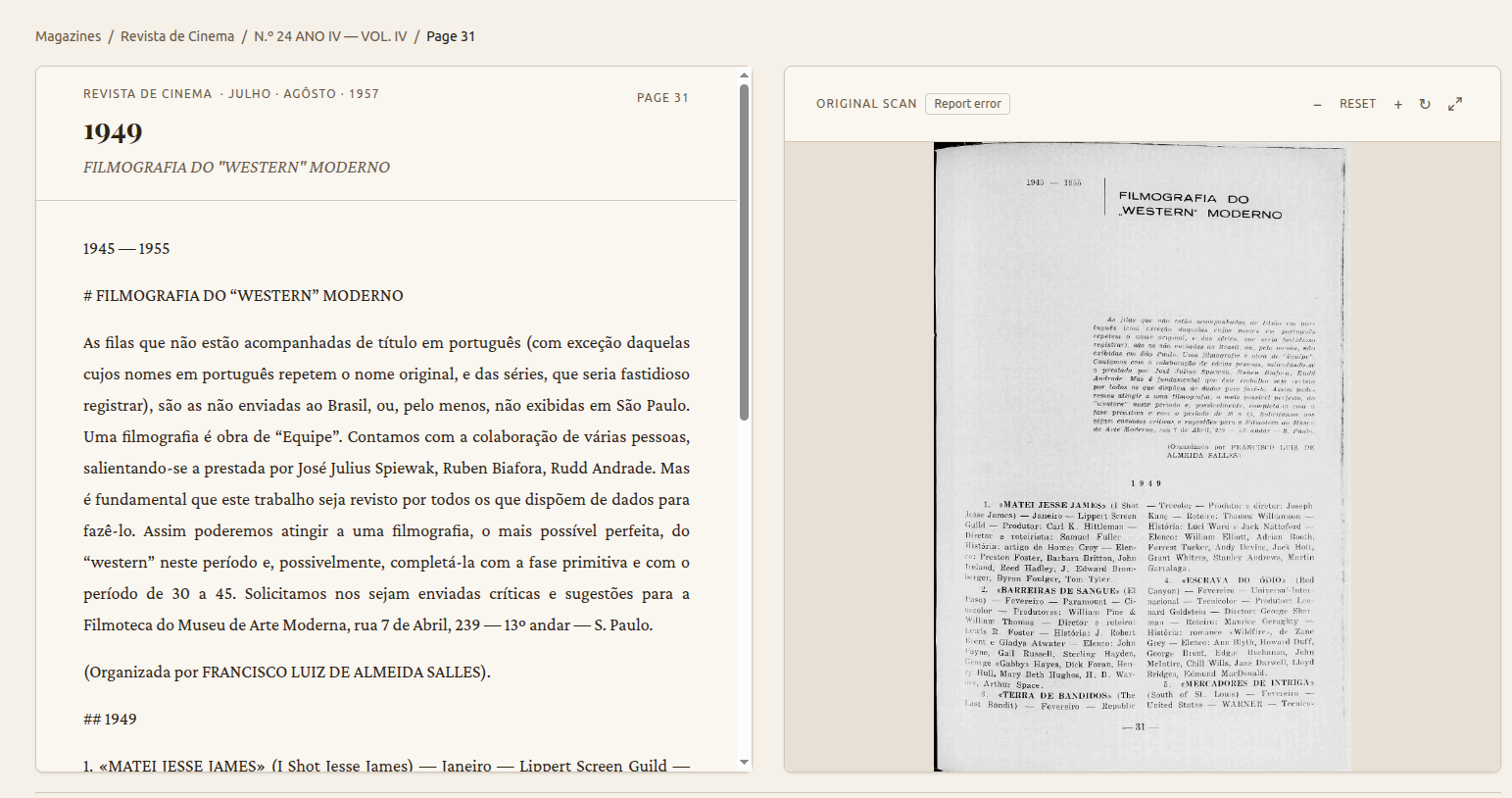
The site’s core idea is to present the transcription alongside the image of the transcribed page, side by side. This gives you the ease of reading the transcription while not losing the magazine’s original design. It’s also useful for spotting wrong transcriptions.
To render each page, the paragraphs saved in JSON are parsed, so the text isn’t just one big disorganized paragraph.
You can zoom into the original page and also view it full screen. Keyboard shortcuts were added on the arrow keys: right and left to go to the next or previous page, up and down to navigate the text.
Databases
I have two databases, both SQLite — one with the magazine data, read-only, and another, the application default, with statistics.
Since the transcriptions are generated automatically, they’re always prone to errors. I created an option to report wrong transcriptions; they’re saved to the second DB, which is backed up with VACUUM INTO every hour.
Search
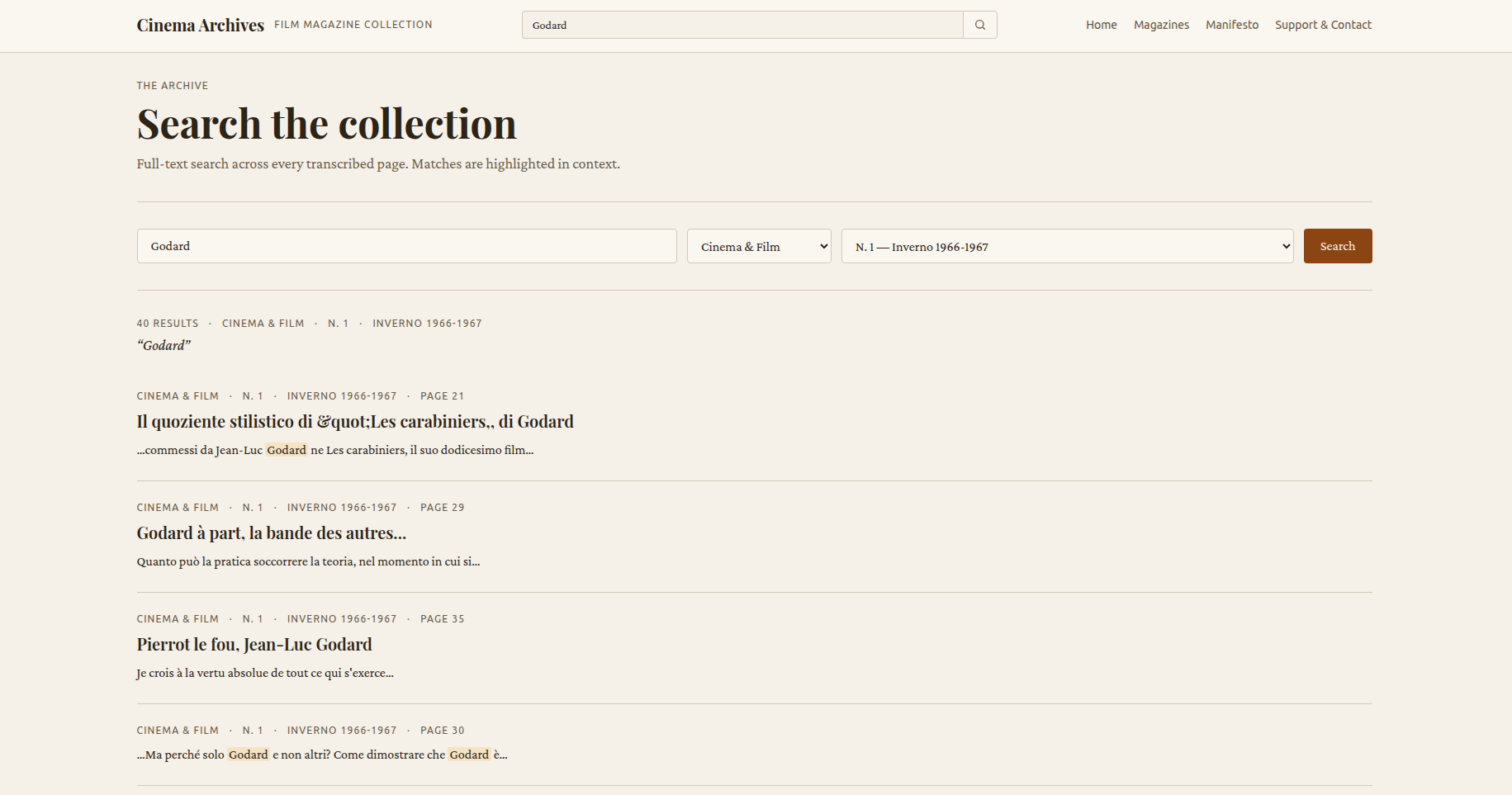
To search the archive, the virtual table is used with the BM25 ranking algorithm (the same one used in Elasticsearch), distributing the search weight across titles, subtitles, and texts, showing the most interesting results first. There’s an option to filter by magazine and by magazine issue.
Permanent URLs
Since the magazines database is generated independently of the main site, I ran the risk of a desync between database updates, affecting access via shared links or transcription-error reports.
To solve this, when generating the database a predetermined order is followed, so there’s no change in the order of IDs on import. But I also implemented a permanent-URL strategy, using slugs generated by the import script. So, instead of using fixed IDs, we have human-readable URLs like:
https://cinemarchives.com.br/magazines/movie/issues/n-8-cinema-verite/pages/2
Statistics
To know the most-accessed routes and traffic-source data I use self-hosted GoatCounter; for logs and metrics I use New Relic, which offers 100GB free.
Deploy
Oracle offers always free VPSs with limited hardware: 1 core and 1GB of RAM. Despite the hardware limitation, it’s a free option for the project.
The deploy is done with Kamal, an extremely useful and simple tool to use. Kamal builds a Docker image of your branch and pushes it, in my case, to GitHub Packages. After that it accesses your VPS, pulls the image, brings up a new instance with it while still keeping the old one live, only killing it once the new one is ready — so there’s no downtime.
To do all this, Kamal has kamal-proxy, its own reverse proxy, so you don’t need to add Traefik yourself. It supports accessories, which is where GoatCounter is brought up, and everything related to the deploy lives in deploy.yml.
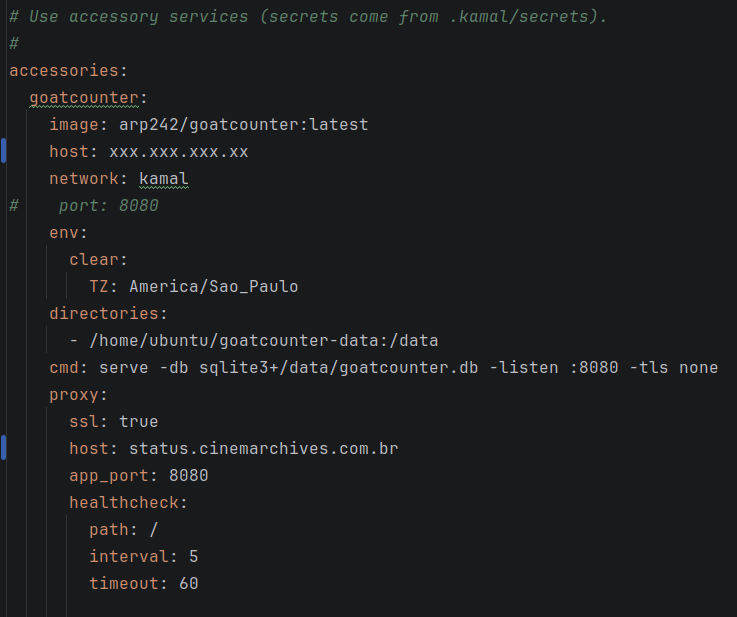
On top of that, it supports scripts that run at various stages of the deploy, like pre-deploy and post-deploy. You can pass keys from its own secrets system.
In my case there’s a post-deploy script that runs four rake commands.
magazine:fetch
Accesses the transcriptions repository on GitHub and downloads the latest release of the magazines database, replacing the old one.
images:sync
First lists all the images in R2, compares them with the ones already on disk, and downloads the missing ones.
images:thumbnails
Generates thumbnails of the new images.
cloudflare:purge
Resets the Cloudflare cache.
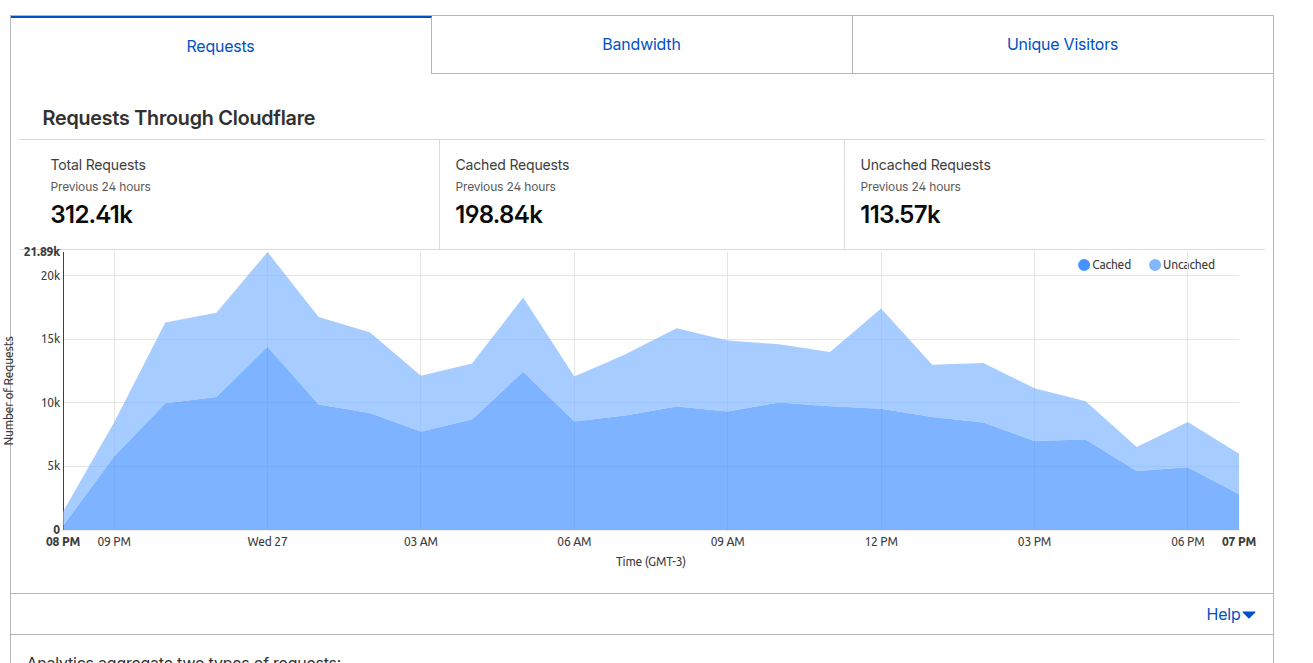
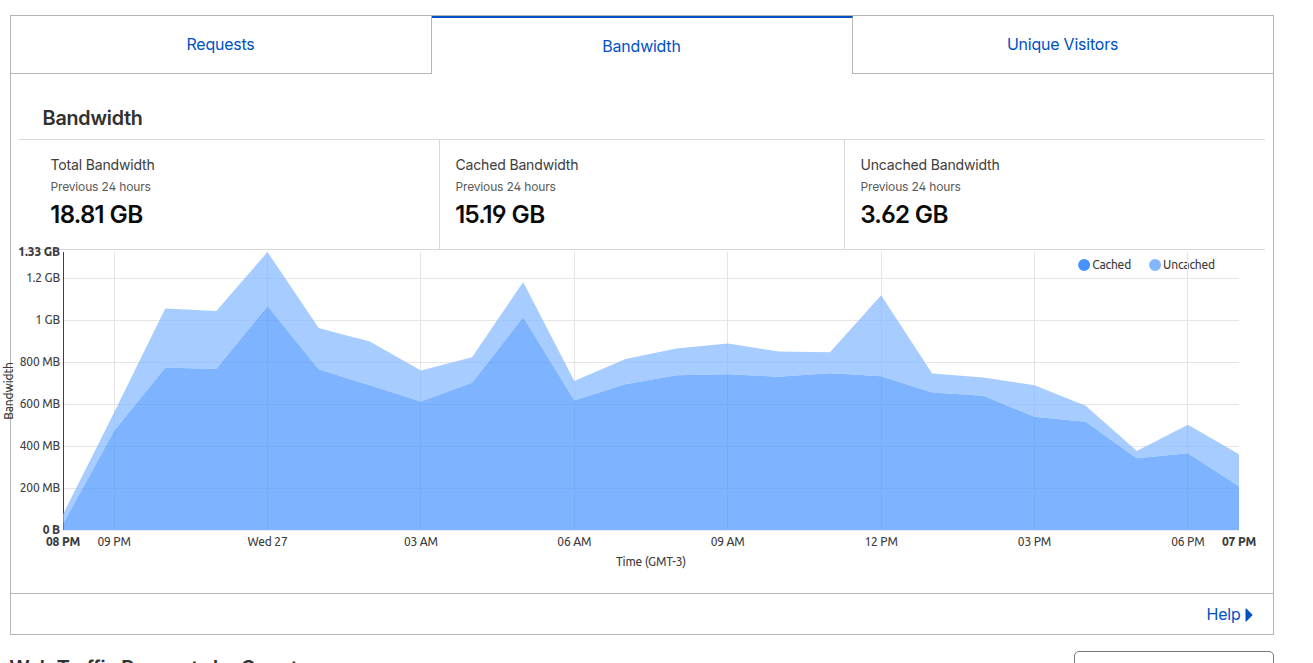
Because it’s a read-only site running on a limited VPS, Cloudflare is a great ally for efficiency. Just the edge cache — which caches the HTML pages and serves them without the user’s request having to hit the server — saves an enormous amount of processing cost.
Launch and first day of traffic
The site is aimed at the worldwide cinephile community, with an archive that spans multiple languages — English, Italian, French, and Portuguese.
I posted a tweet on X announcing the site. Using X was a great strategy: besides easily reaching the target audience, its recent automatic-translation feature using Grok meant the site reached several countries, like Vietnam, South Korea, Japan, the United States, Spain, France, and the United Kingdom.
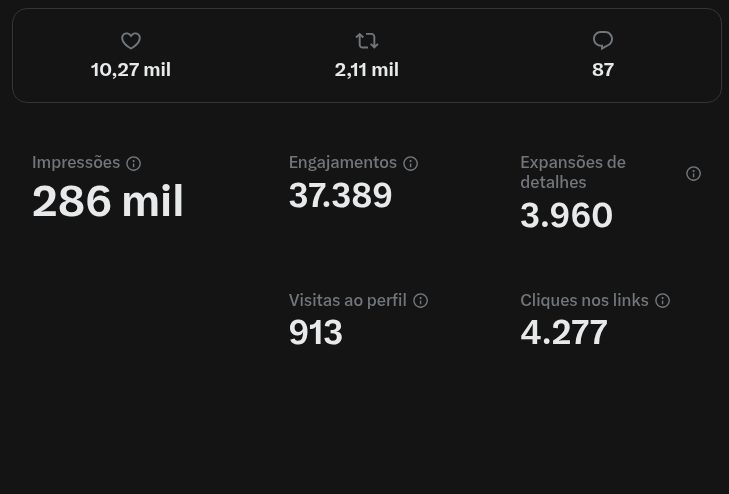
By the end of the first 24h the tweet already had more than a thousand retweets, which shows the community’s interest in the project. As of this writing (2026-05-29) the tweet has 284K impressions, 2,110 retweets, and more than 10K likes.
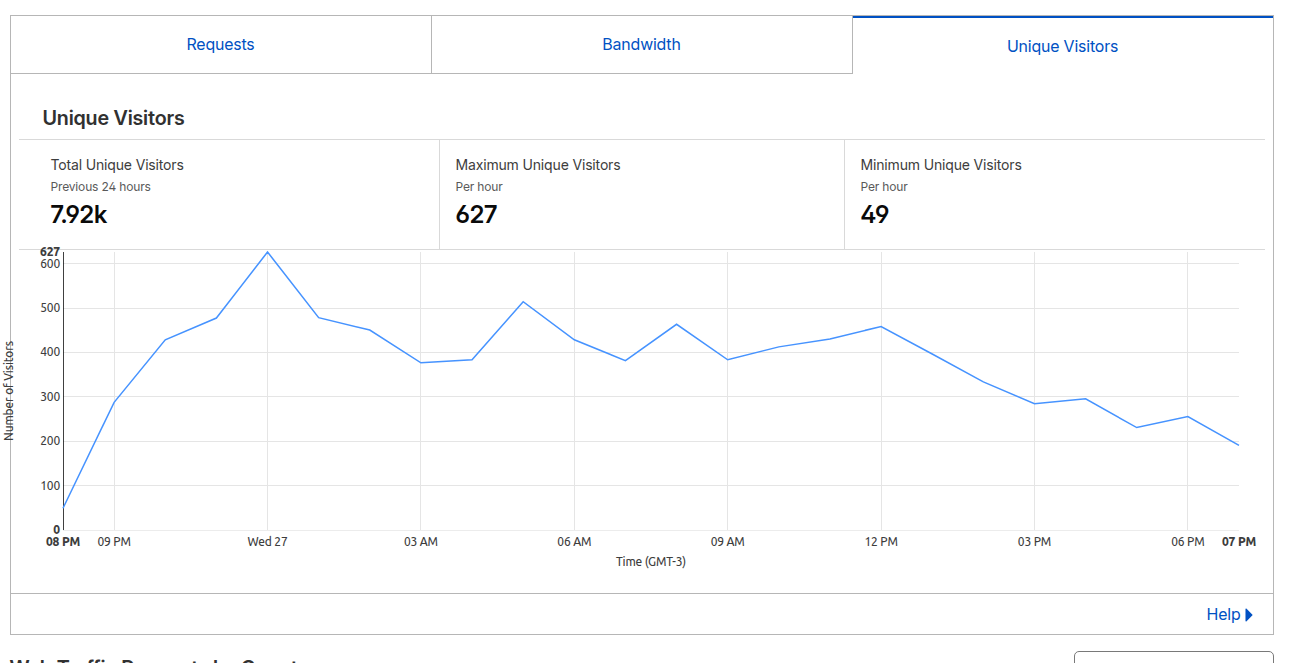
This brought the site nearly 8 thousand visitors on its first day, totaling 321 thousand requests, of which 198 thousand were cached by Cloudflare. This shows that Cloudflare held back enough requests for SQLite to work comfortably, even on a machine with limited resources — a great strategy for performance and scalability.
Conclusion
The site currently has 5 different magazines, totaling 72 issues, with 4,915 transcribed pages.
Maintenance cost is zero. The self-hosted images, so far, weigh only 1.75GB, with 34GB free on the VPS. The transcriptions database weighs just 68.9MB.
The only costs incurred for the site were buying the domain, R$ 45.00, and the OCR transcriptions, which came to around R$ 60.00.
In the end, I learned a lot about Rails, put a site live for the first time, and what was a personal problem ended up becoming an archive of interest to a lot of people.
The site is live at cinemarchives.com.br.